Three tools with one idea: look inside your queues from the editor you already have open, without side effects you did not ask for, and get dead letters back without losing any.
JetBrains IDEs
Queue Studio for RabbitMQ
Browse RabbitMQ from your IDE: vhosts, exchanges and queues, message peek and publish, JSON payloads with highlighting, bulk requeue and move from dead-letter queues.
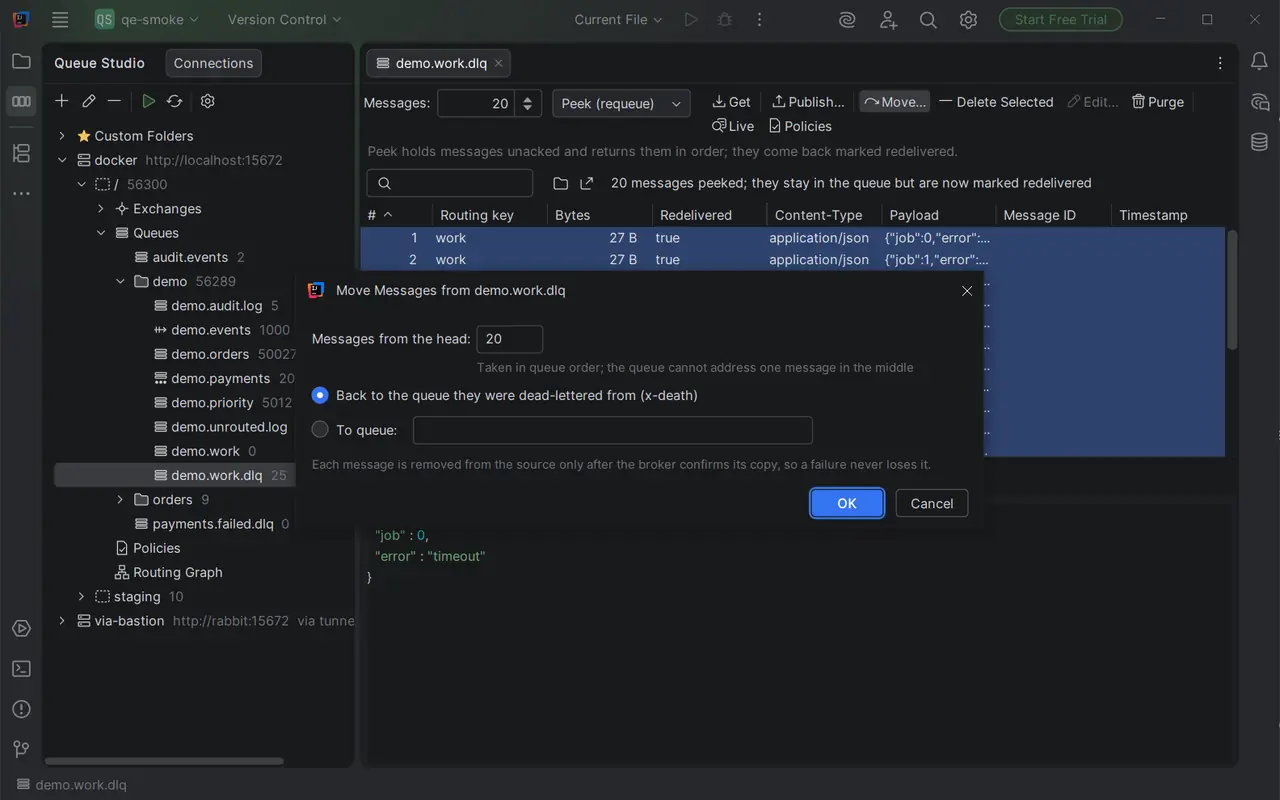
Moving messages out of a dead-letter queue never loses them: each one is removed from the source only after the broker confirms its copy on the target.
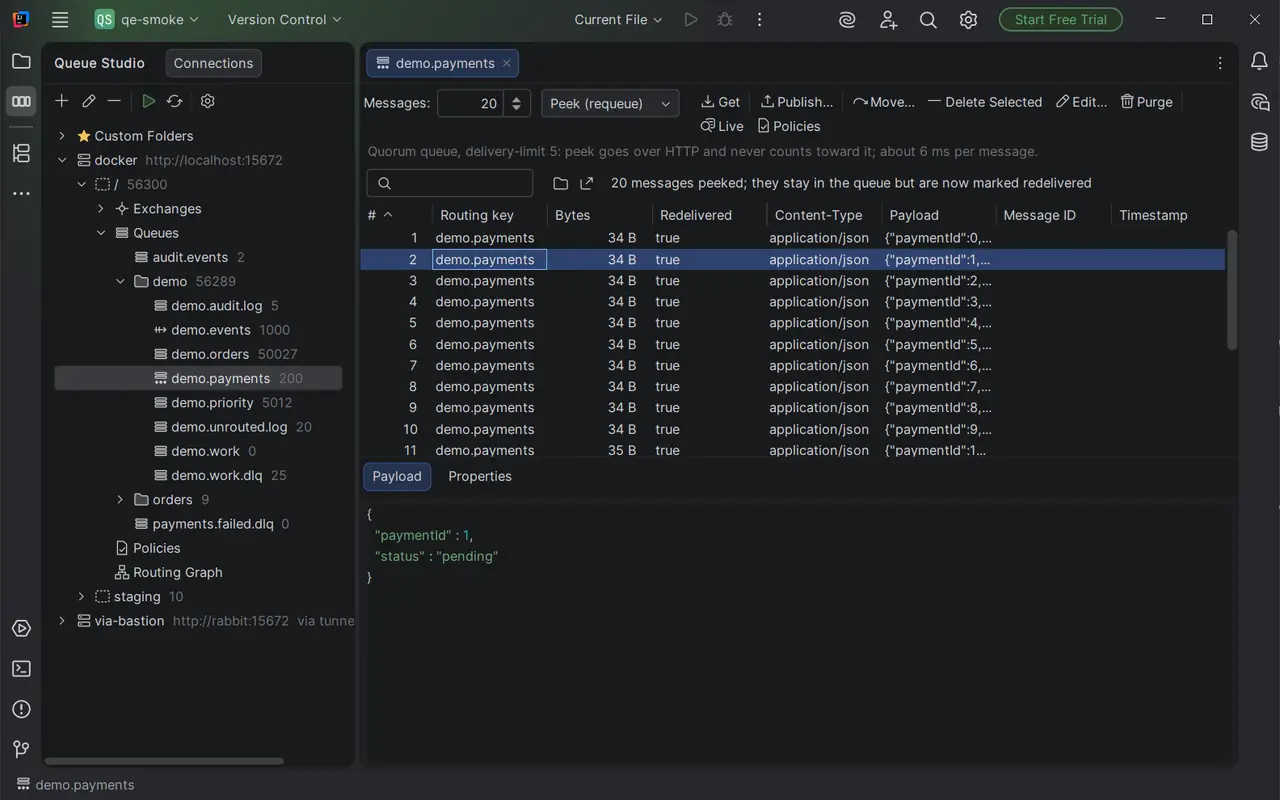
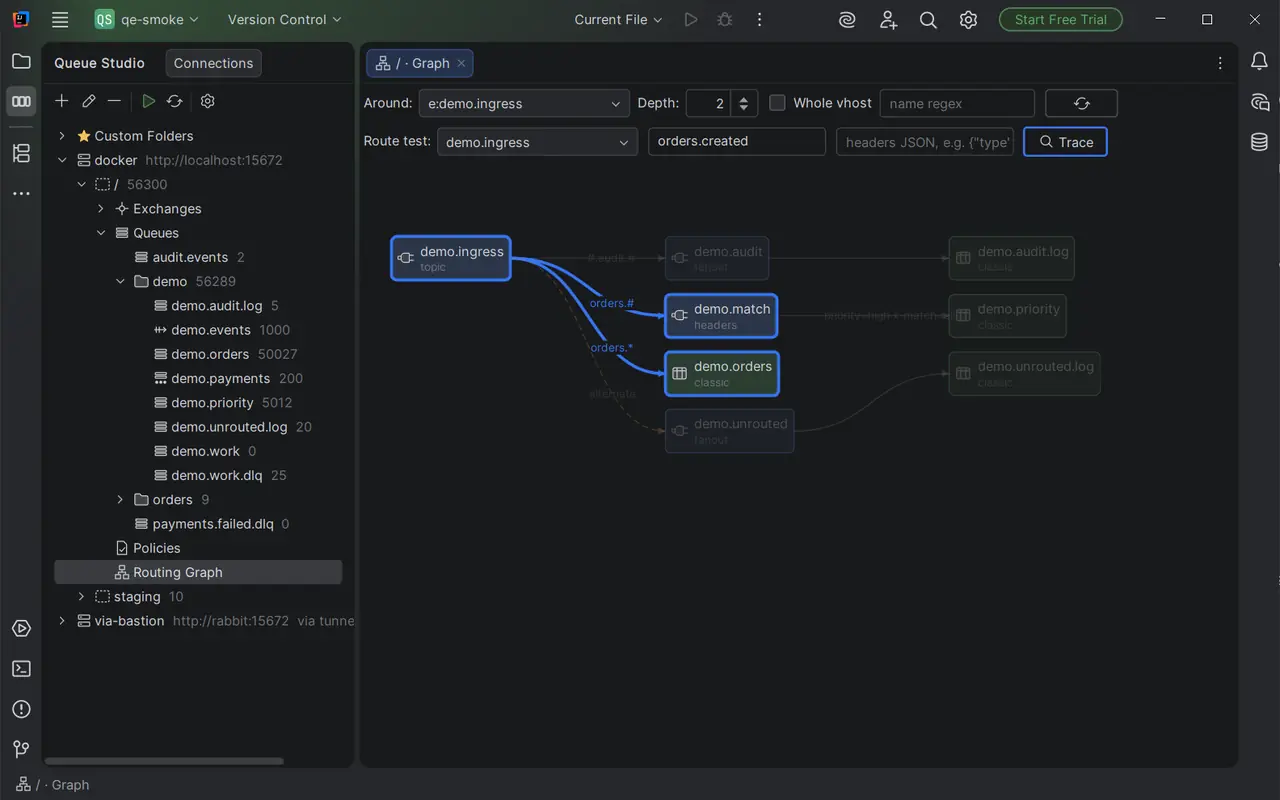
Peek up to 65,535 messages of a classic queue or a stream (5,000 of a quorum queue), delete or edit one in the middle of a queue, watch live traffic, read streams from any offset or time, see which policy applies and why, and trace a routing key through a graph of exchanges and bindings.
Peeking a quorum queue never counts toward its delivery-limit, so browsing does not drop messages; delete and edit, which must hold the messages ahead of the one you pick, are refused when that would push any of them past the limit.
Private clusters are reached through an SSH bastion with a key, the SSH agent or a password.
Peek a quorum queue: the read never counts toward its delivery limit.Trace a routing key through exchanges and bindings.Move dead letters back: each leaves the source only after the broker confirms its copy.
Uses the RabbitMQ management HTTP API and AMQP 0-9-1; moves and edits use publisher confirms.
The plugin collects no data: it talks only to the brokers and SSH hosts you configure, and passwords stay in the IDE password safe.
From $4 a month for individuals, with a 30-day free trial.
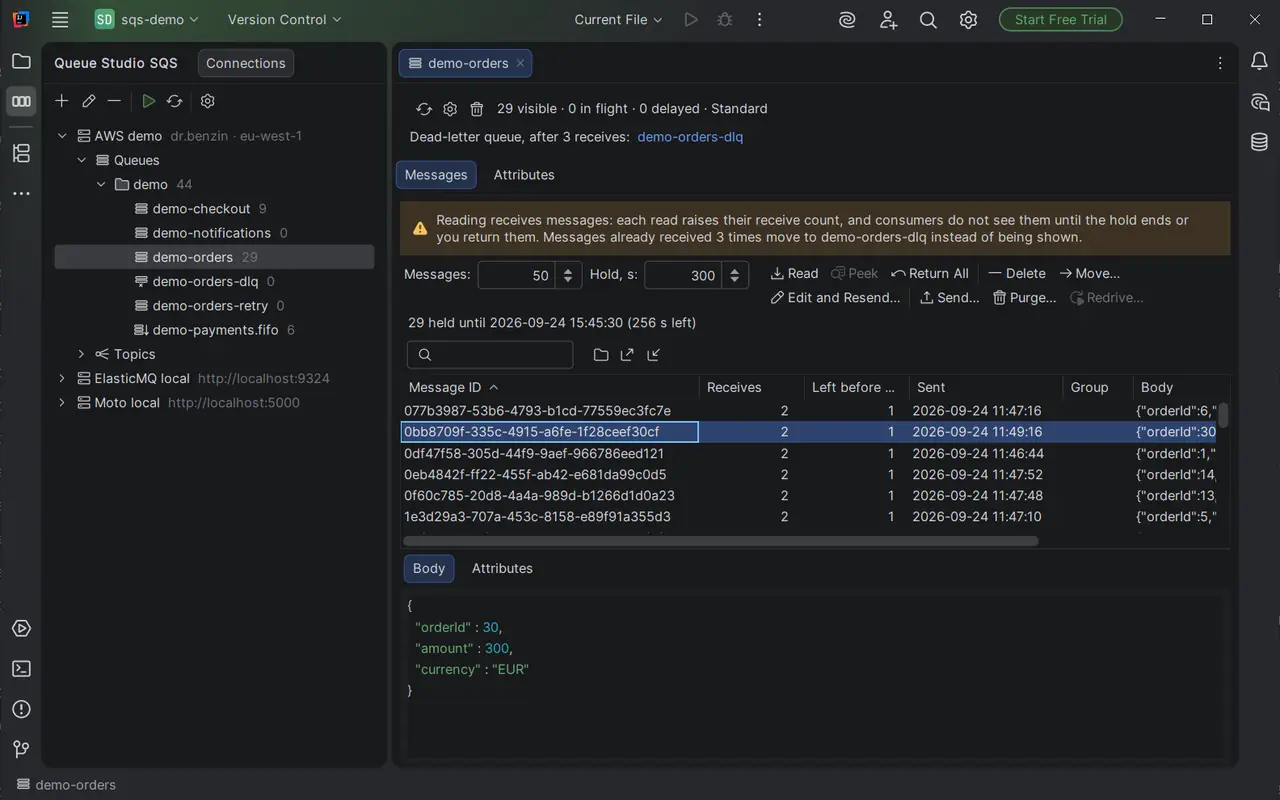
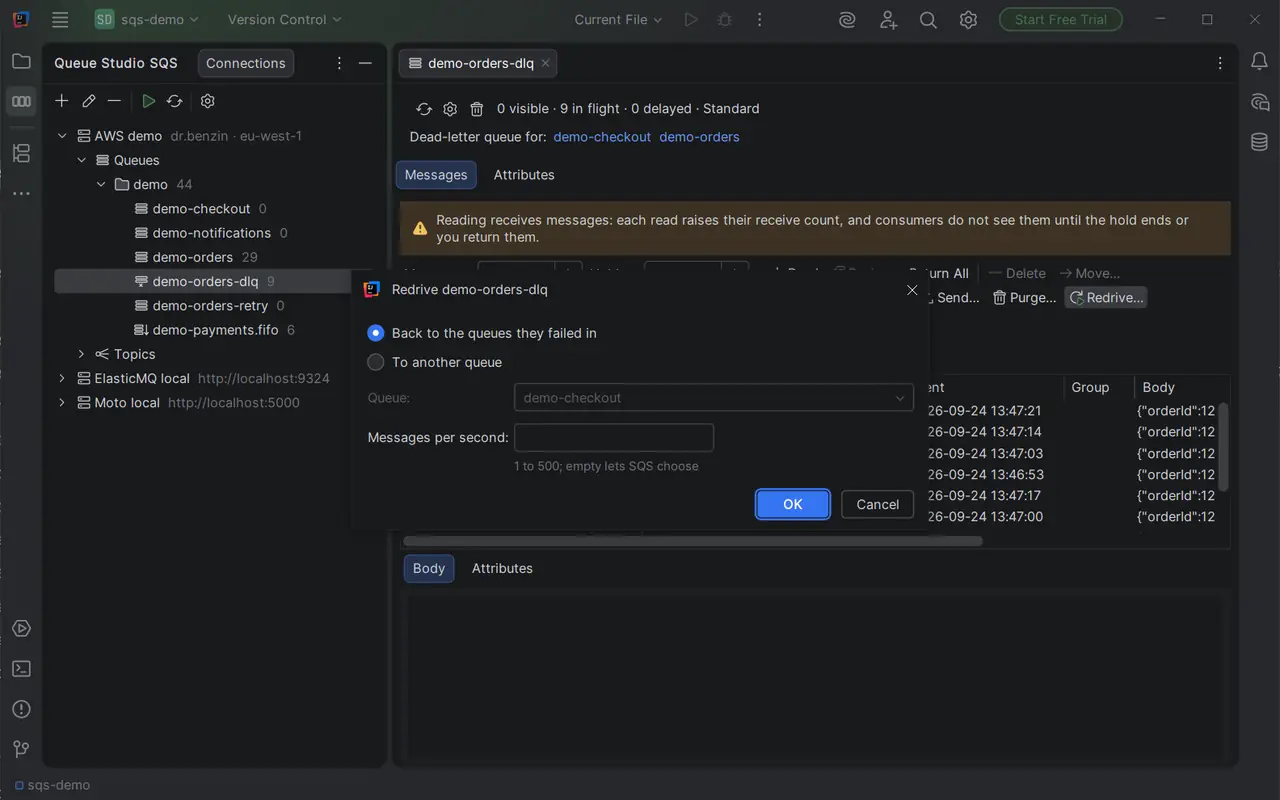
Look at your SQS messages without pushing them into the dead-letter queue. SQS has no peek: every look is a receive, and a few looks at a queue with a redrive policy quietly move its messages to the DLQ. Queue Studio tells you before each read what it will do, shows how many receives each message has left, holds what it read and gives it back at once when you are done.
Works with any AWS profile (SSO, assume-role, MFA) and with local emulators such as LocalStack, ElasticMQ or Moto, next to your code.
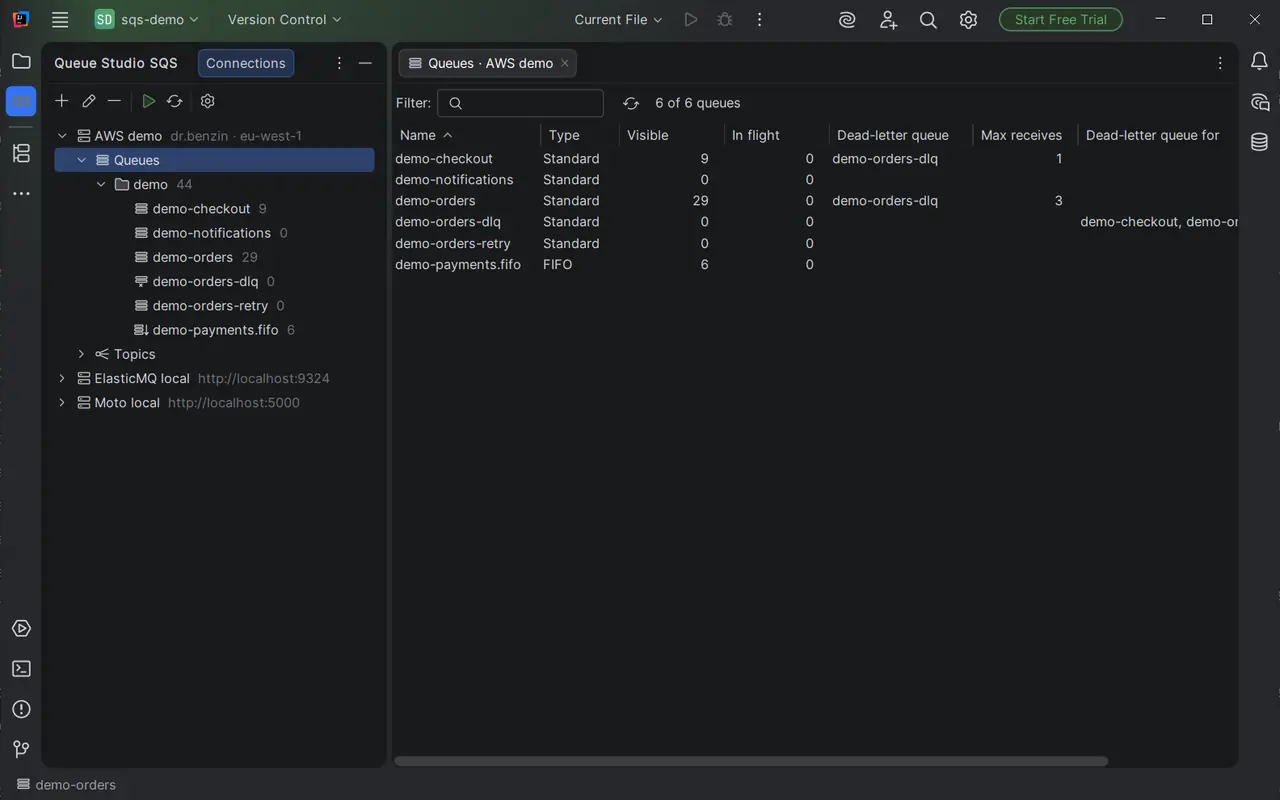
Before each read it says what the read will do and how many receives each message has left.Redrive a dead-letter queue to the queues its messages failed in, or to any queue.Every queue with its dead-letter wiring, with local ElasticMQ and Moto next to AWS.
The plugin collects no data: it talks only to the AWS endpoints and emulators you configure.
From $4 a month for individuals, with a 30-day free trial.
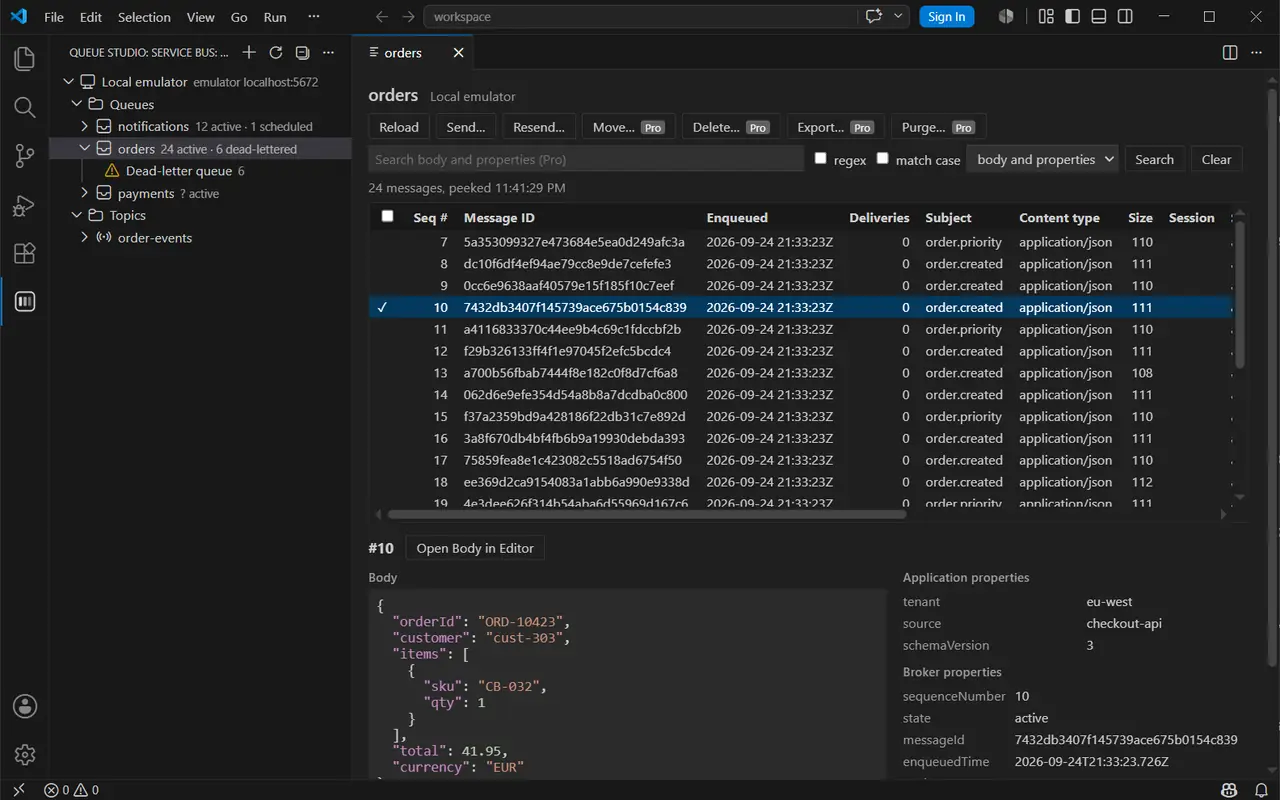
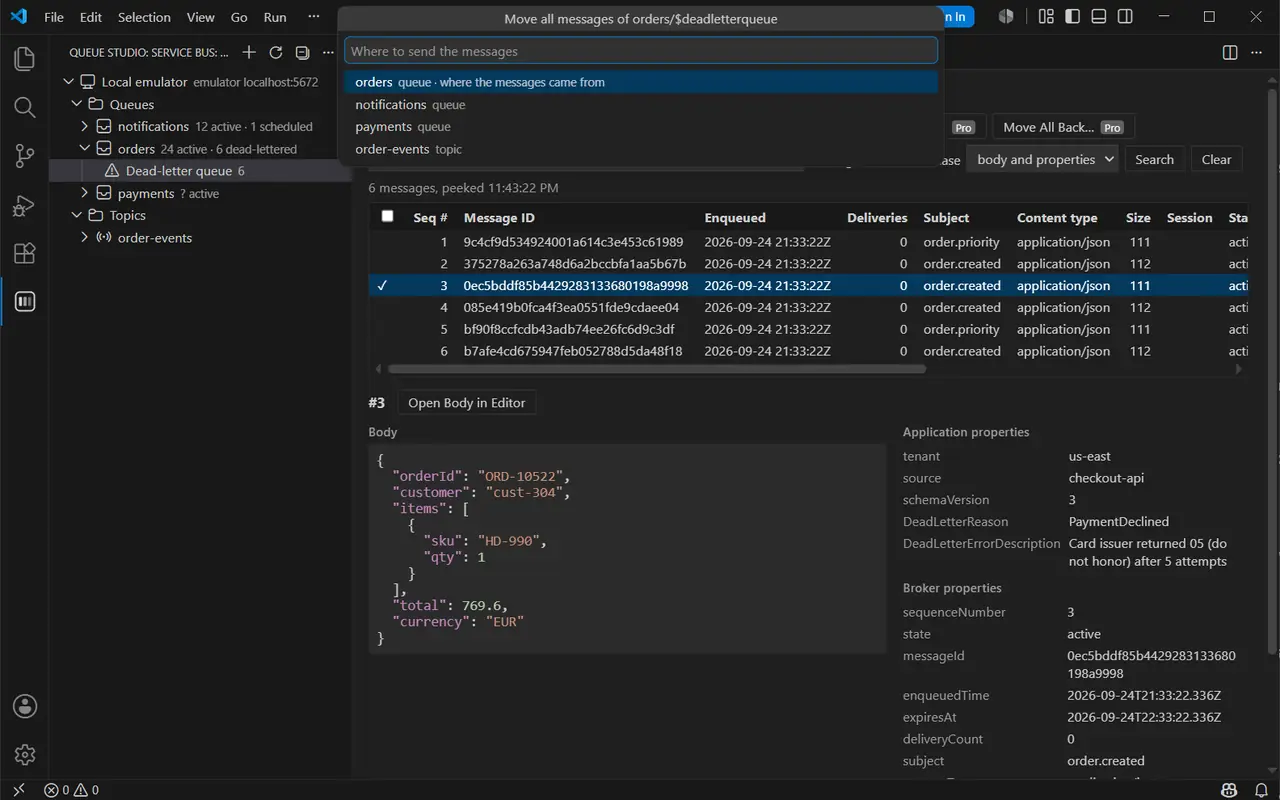
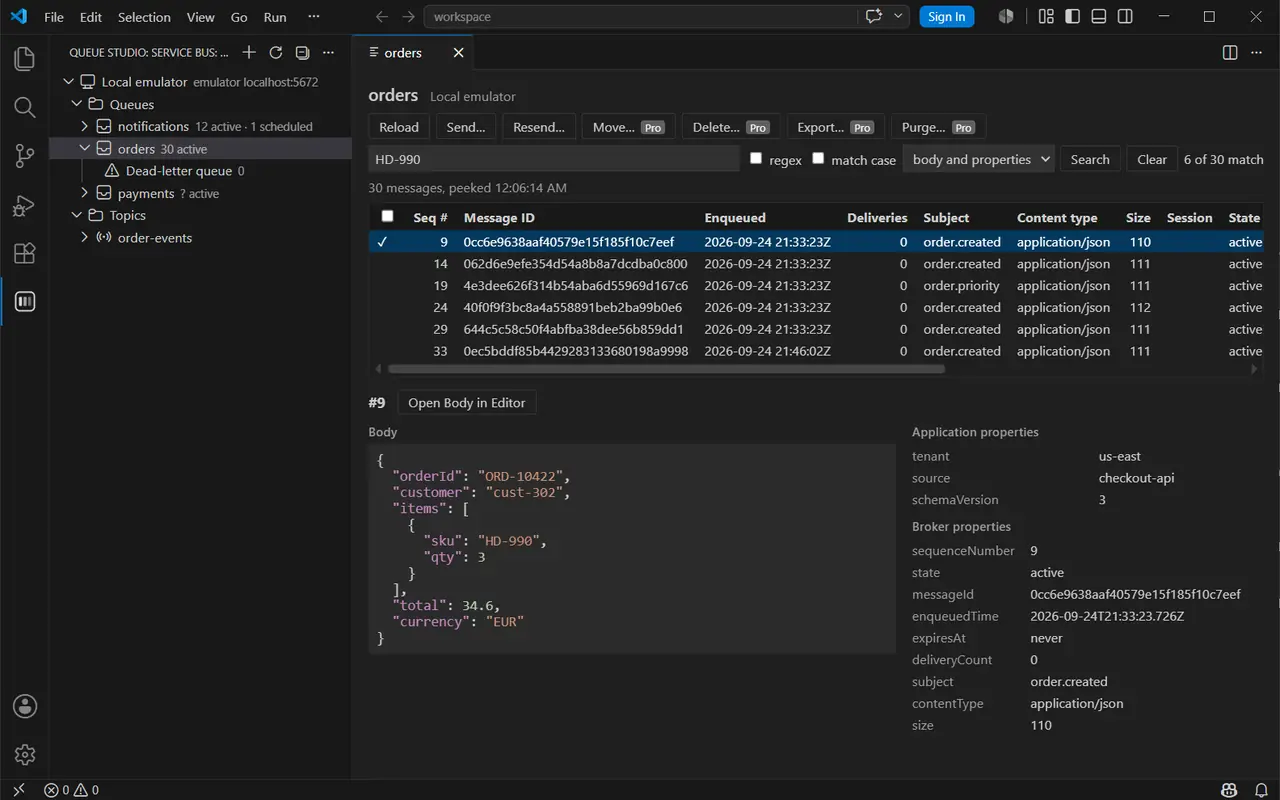
Service Bus in the editor: cloud namespaces and the local emulator in one tree, peek of a whole queue without locks, search in bodies and properties, and a whole dead-letter queue moved back in one operation. Works with Azure Service Bus and the Service Bus emulator.
Peek a whole queue without locks, so delivery counts are not affected.Pro: move a whole dead-letter queue back in one operation.Pro: search bodies and properties, with regex and match case.
Connection string, Microsoft Entra ID or the local emulator
Message counts and dead-letter queues in the tree
No telemetry. Besides your namespaces and Microsoft Entra ID, the extension talks only to Polar, to check a license key: it sends the key and a machine id.
Free. Pro from $4 a month for individuals, with a 14-day trial of everything.
RabbitMQ is a trademark of Broadcom, Inc. Amazon SQS, Amazon SNS and AWS are trademarks of Amazon.com, Inc. or its affiliates. Microsoft and Azure are trademarks of the Microsoft group of companies. Queue Studio is an independent product and is not affiliated with or endorsed by any of them.