Developer tools · VS Code

Service Bus queues and dead-letter queues, inside VS Code

Service Bus in the editor: cloud namespaces and the local emulator in one tree, peek of a whole queue without locks, search in bodies and properties, and a whole dead-letter queue moved back in one operation. Works with Azure Service Bus and the Service Bus emulator.

Extension ID factodus.queue-studio-service-bus. Free features forever, every Pro feature free for 14 days, no account needed.

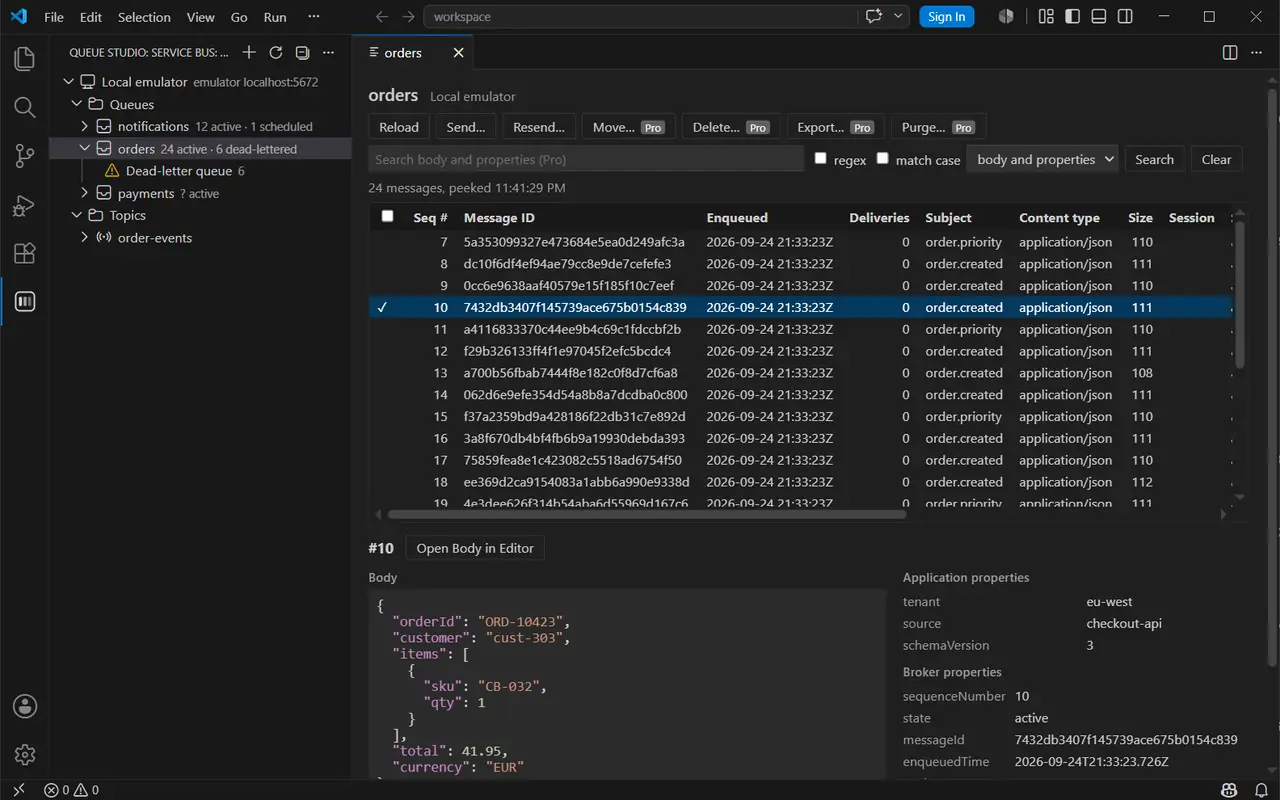
Queue Studio for Azure Service Bus in VS Code: 24 messages peeked from the orders queue on the local emulator, with the selected message’s JSON body and its application and broker properties

Features

Free

  • Connections: a connection string (kept in VS Code's secret storage), a fully qualified namespace with Microsoft Entra ID (default Azure credential or Azure CLI), or the local emulator.
  • Tree: queues with active, scheduled and dead-letter counts, topics with their scheduled count, subscriptions with active and dead-letter counts; every queue and subscription has its dead-letter queue.
  • Peek: walks a whole queue, subscription or dead-letter queue by sequence number, in pages, up to a limit you set. Nothing is locked, so delivery counts and consumers are not affected. Session-enabled entities are read one session at a time, which locks that session while it loads. The table shows sequence number, message id, enqueue time, delivery count, subject, content type, size, session, state and application properties; the detail shows the body (JSON formatted and coloured) and every property.
  • Send: body, content type, subject, message and correlation id, application properties, session id, time to live and scheduled enqueue time. Resend fills the form from a selected message.
  • Entities: create and delete queues, topics and subscriptions; edit max delivery count, lock duration, time to live, dead-lettering on expiration and forwarding of queues and subscriptions, and the default time to live of topics.
Pro

  • Search: searches the peeked messages by substring or regular expression, with or without match case, in bodies, application properties (name=value) or both.
  • Move a whole dead-letter queue: moves it back to its queue, or to its topic for a subscription, or to any queue or topic. Each batch is sent first and removed from the dead-letter queue only after the send succeeded, so a failed send leaves the messages where they were; if removing a sent message fails, it is reported and may then be in both places. Progress is shown and the move can be cancelled.
  • Move or delete selected messages: to reach them, messages are received from the start with a lock and the others are released; on a main queue each released message counts one more delivery, and the confirmation says so. A selected scheduled message of a queue is scheduled on the target for the same time and then cancelled when moved, and cancelled when deleted.
  • Purge: purges a queue, a subscription, a dead-letter queue or one session. Scheduled and deferred messages stay.
  • Export: exports selected or shown messages to JSON or NDJSON, and sends messages from such a file.

A 14-day trial of everything starts with the first run. After it, Pro needs a license key.

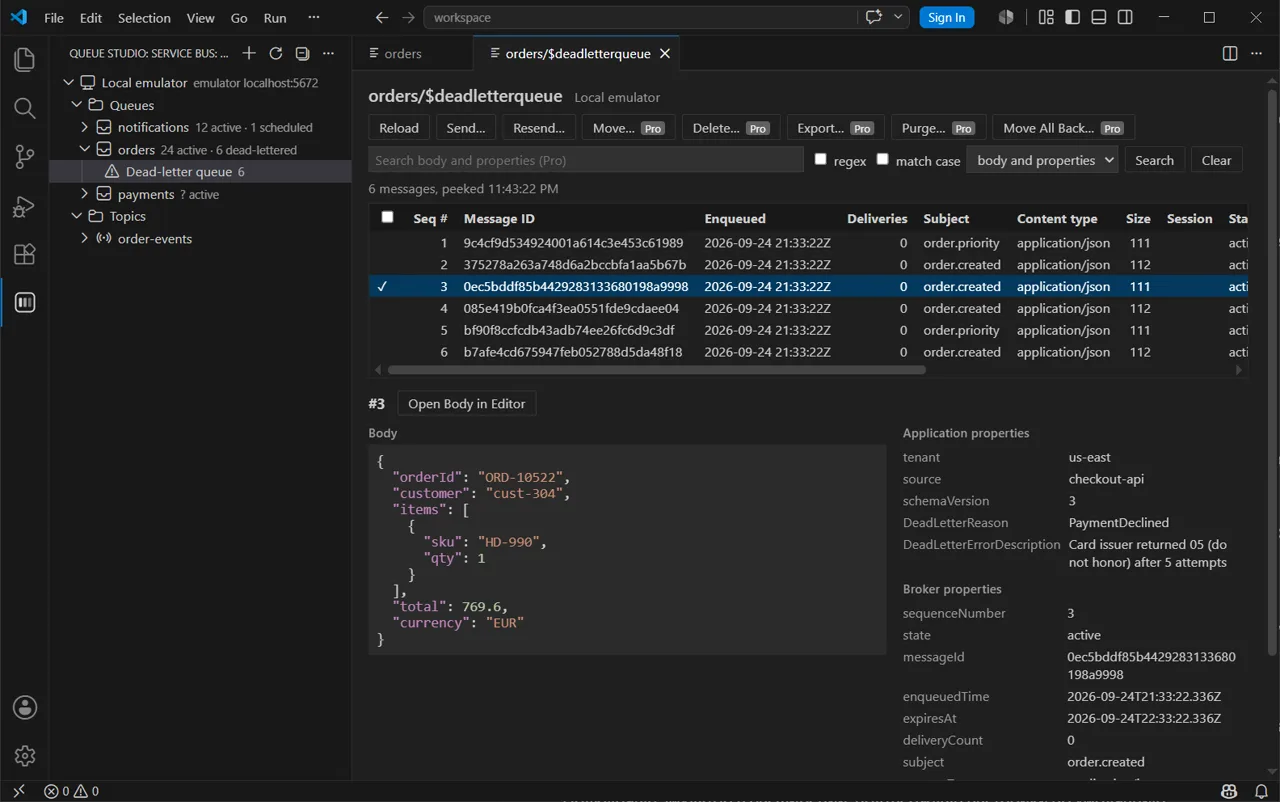
The dead-letter queue of orders with six messages; the detail pane shows the dead-letter reason PaymentDeclined and its description next to the body
A dead-letter queue, with the reason and description of each message.
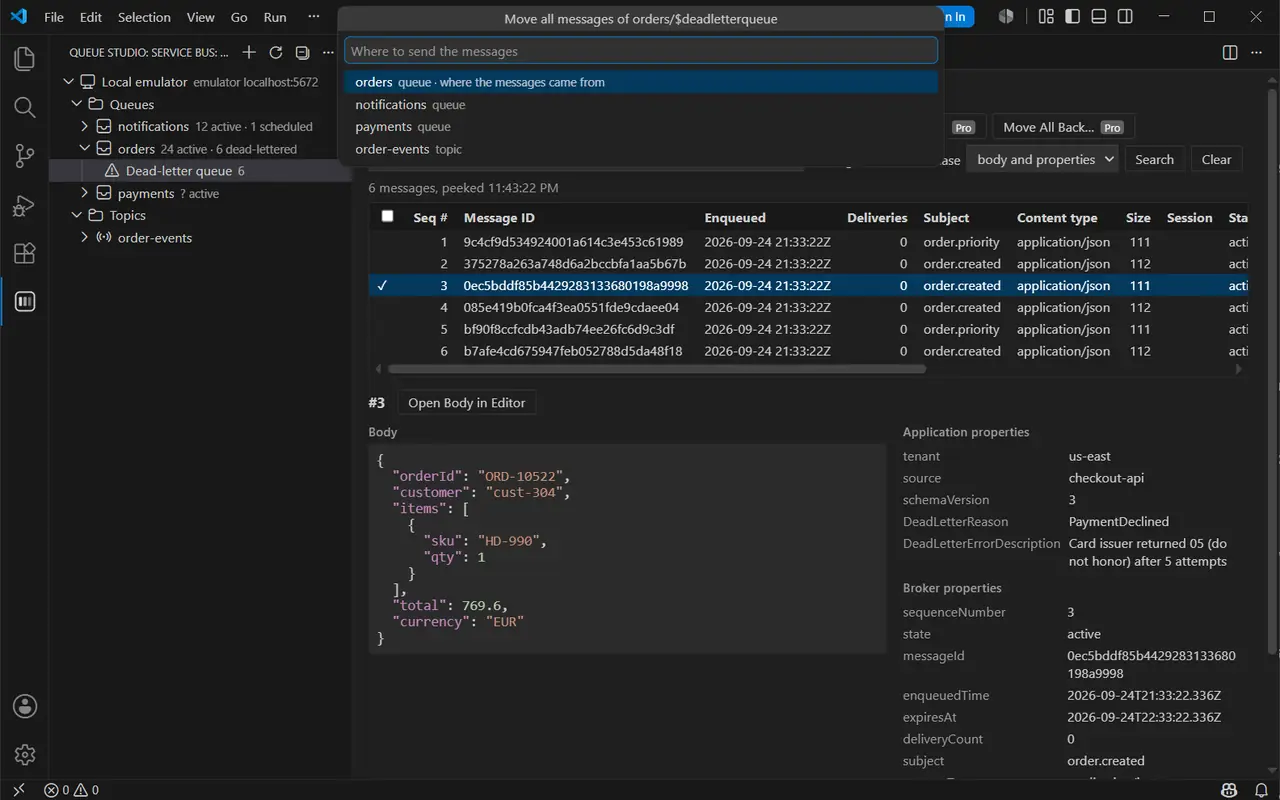
Moving all messages of orders/$deadletterqueue: a picker offers the orders queue they came from, two other queues and a topic; behind it, a dead-lettered message with the reason PaymentDeclined
Move All Back offers the queue the messages came from, or any other queue or topic.
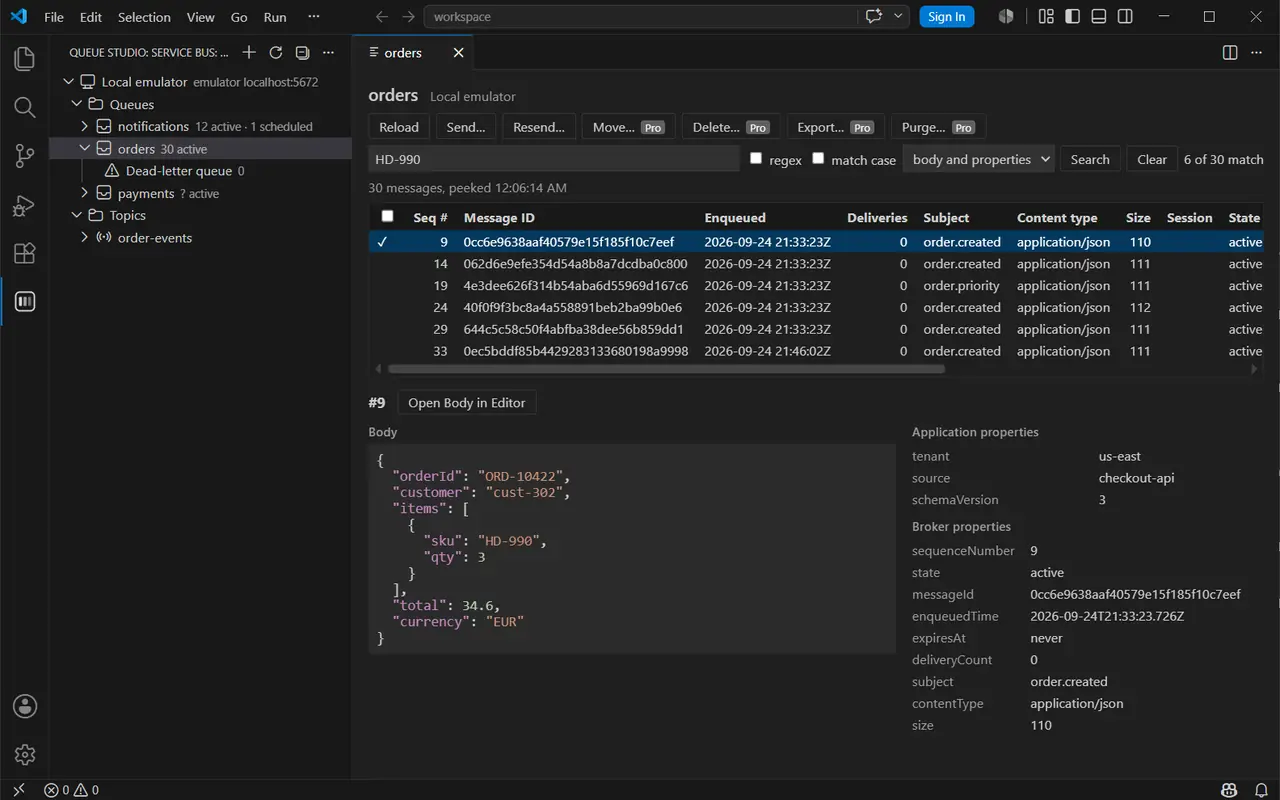
A search for HD-990 in the bodies and properties of the orders queue: 6 of 30 messages match
Search in bodies and properties: 6 of 30 messages match.

Pricing

Personal

$4 / month

or $40 / year

  • Bought and paid for by an individual
  • One person, all Pro features

Organization

$8 / month

or $80 / year

  • Bought, paid or reimbursed by a company
  • One license per person using Pro

Prices in US dollars, per person. Polar, the merchant of record, handles checkout, tax, invoices, renewals and cancellations. Subscriptions renew until cancelled; cancel any time in the customer portal. The 14-day trial needs no payment details and never turns into a charge; there are no refunds beyond those the law requires, see refunds.

Getting started

  1. Install the extension from the VS Code Marketplace or Open VSX, or run code --install-extension factodus.queue-studio-service-bus.
  2. Open Queue Studio: Service Bus in the activity bar, press + and choose a connection string, Microsoft Entra ID or the local emulator.
  3. Click a queue, subscription or dead-letter queue to peek it.
  4. After buying Pro, run Queue Studio: Enter License Key… and paste the key from your Polar receipt email.

The user guide covers roles for Entra ID, sessions, settings and the known limitations of the emulator.

Microsoft, Azure and Azure Service Bus are trademarks of the Microsoft group of companies. Queue Studio is an independent product and is not affiliated with or endorsed by Microsoft.