Developer tools · JetBrains IDEs

Logline

Inline console.log for WebStorm and IntelliJ IDEA. See the values, errors and network calls of your running Node and Vite apps right next to the code that produced them: no breakpoints, no digging through the console.

Get it on JetBrains MarketplaceFree. Pro from $3.90 a month for individuals, with a free trial.
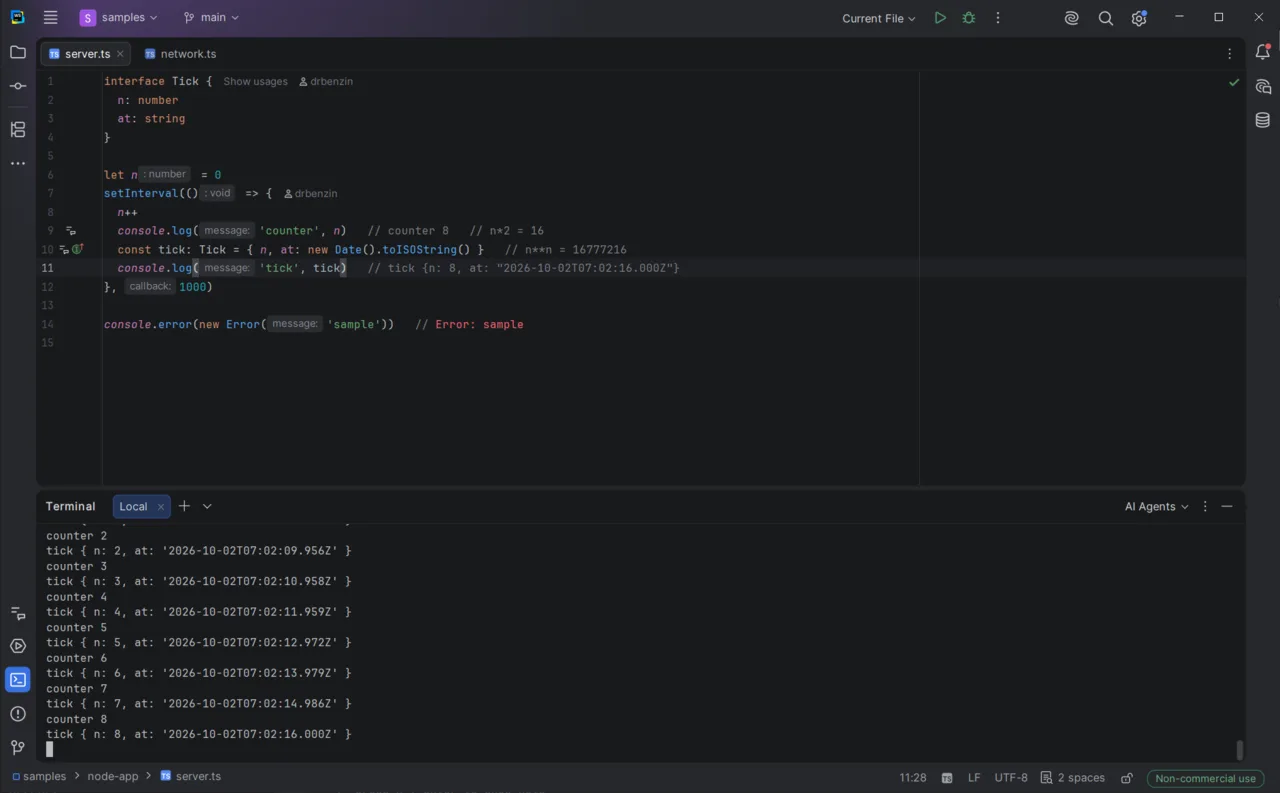
server.ts in WebStorm: each console.log line ends with its latest value in grey, such as tick {n: 8, at: …}, and console.error(new Error('sample')) shows Error: sample in red; the terminal below prints the same output
Values appear at the line that logged them, and update as the app runs.
Free

See what your code logs, where it logs it

  • console.log, info, warn, error and timers shown at the line that logged them
  • Uncaught errors and unhandled rejections shown at the line that threw
  • Node (ES modules and CommonJS, TypeScript through source maps) and the browser side of Vite 5–8 apps
  • Works from run configurations and from the IDE terminal; nothing to install in your project
  • A tool window with a live feed of every event; click an inline value to see that line’s history
Pro

Ask the running app questions

  • Logpoints: log any expression on any line without editing the file; its value appears inline
  • Network: fetch, http/https, undici and XHR calls inline, with method, status, time and the start of the response body
  • Search and filter the Logline window by text and by kind
  • AI tools: events, errors, network calls and logpoints for agents such as Claude Code, Cursor or Junie, through the IDE’s MCP server; an agent can set a logpoint and read its value

Pro has a free trial: Help | Register… in the IDE.

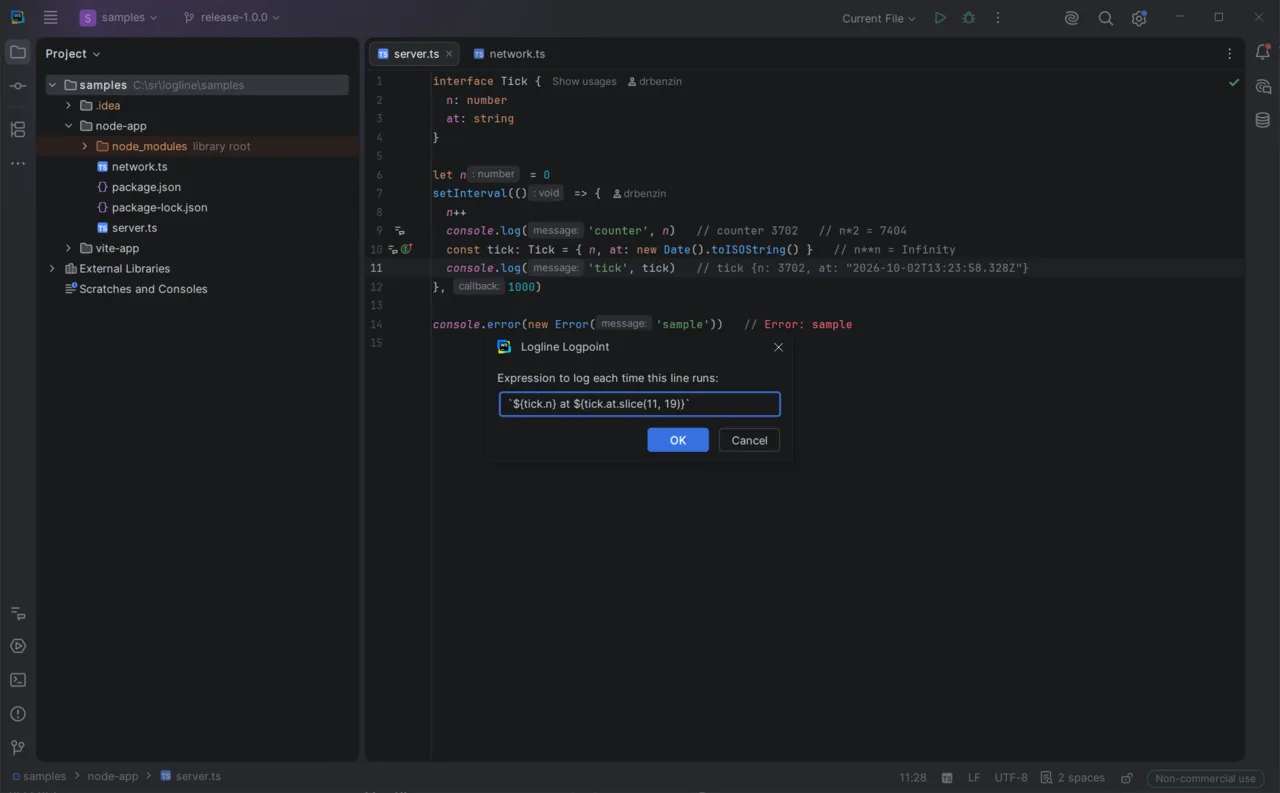
The Logline Logpoint dialog in WebStorm on line 11 of server.ts, with the expression `${tick.n} at ${tick.at.slice(11, 19)}`; the lines above show their values inline
Pro: a logpoint logs any expression without touching the file.
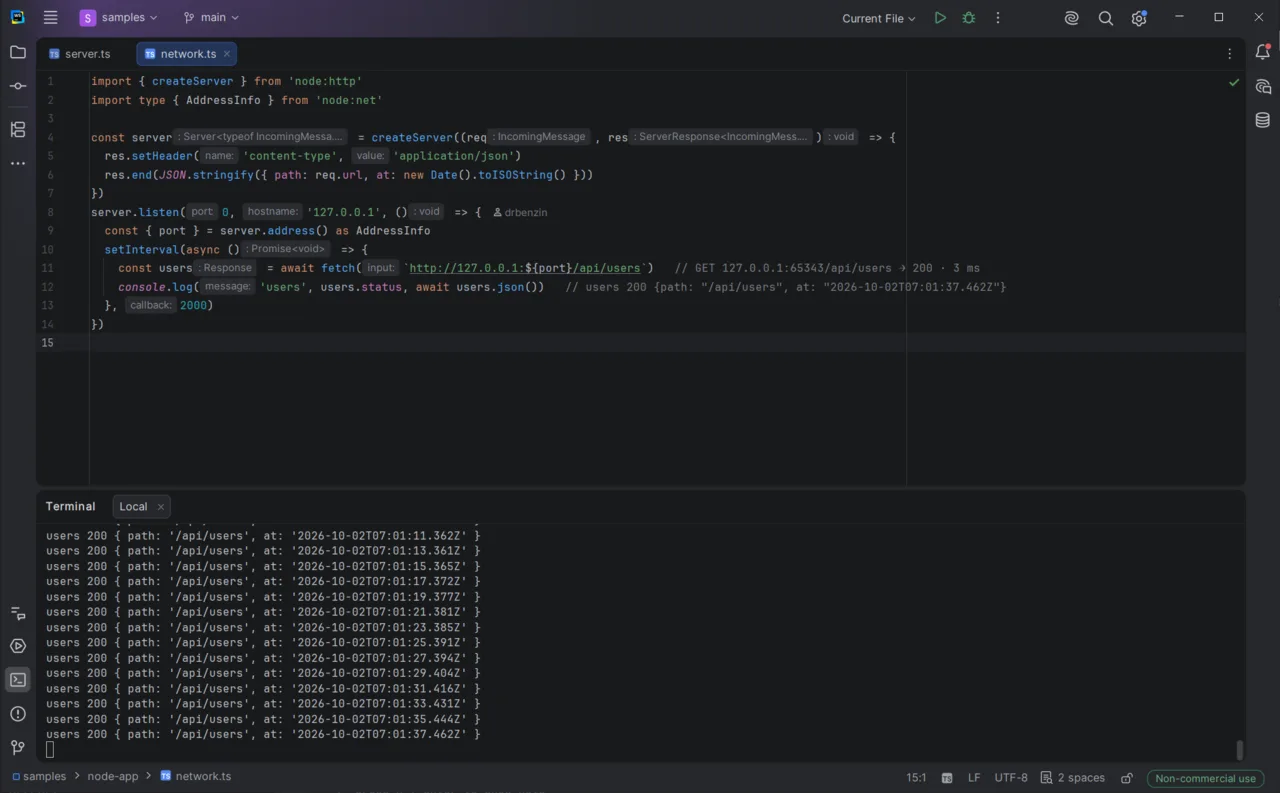
network.ts in WebStorm: the fetch line shows GET 127.0.0.1:65343/api/users → 200 · 3 ms inline, and the console.log below it shows the parsed response
Pro: every fetch and http call at its line, with status and time.

Requirements

  • WebStorm, or IntelliJ IDEA with JavaScript support, 2025.3 or newer
  • Node 20.6 or newer; logpoints need ES modules
  • Everything runs on your machine: no account, no telemetry, nothing leaves it

WebStorm, IntelliJ IDEA and Junie are trademarks of JetBrains s.r.o. Logline is an independent product and is not affiliated with or endorsed by JetBrains.